

Quick answer: In Salesforce vs Dynamics 365 Sales, Dynamics 365 costs less per seat at every comparable tier and fits teams that live in Microsoft 365. Salesforce has the larger ecosystem and deeper customization. The right pick depends on your three-year cost and your team’s daily tools, not on the feature list.
Last updated: October 12, 2026
The Salesforce vs Dynamics 365 debate usually starts with features and ends with a pricing surprise. Both platforms handle pipeline, forecasting, and AI well enough for most sales teams.
This Salesforce vs Dynamics 365 Sales guide compares the two on cost, AI, daily workflow, and effort, and it says plainly when Salesforce is the better choice. If you are weighing Microsoft Dynamics vs Salesforce for the first time, start with the table below.
Salesforce vs Dynamics 365 Sales in One Table
Salesforce vs Dynamics 365 Sales is a contest between a CRM-first platform and a business applications platform with CRM built in. The table shows where they differ most.
| Area | Salesforce Sales Cloud | Dynamics 365 Sales |
| Platform type | CRM-first platform | Business applications suite with CRM |
| Entry price (per user per month) | $25 Starter Suite | $65 Sales Professional |
| Core enterprise tier | $175 Enterprise | $105 Enterprise |
| Top AI tier | $550 Agentforce 1 Sales | $150 Premium |
| Microsoft 365 fit | Connectors | Native |
| Customization | Deepest, admin-heavy | Strong, low-code through Power Platform |
Salesforce’s entry price is lower, but most growing teams end up on its Enterprise tier. That is where the real comparison starts.
Two CRMs With Different Starting Points
Salesforce began as a standalone CRM, while Dynamics 365 Sales began as one part of Microsoft’s business applications platform. That origin still shapes how each one feels to use and to buy.
The origin also explains the Salesforce vs Dynamics 365 split in how they are sold. Salesforce sells clouds and add-ons one at a time, while Microsoft bundles more AI into each step up the tier ladder.
Salesforce: The CRM-First Platform
Salesforce is the largest CRM vendor, with the deepest app marketplace and the longest list of customization options. That depth is its strength for complex sales models and its cost for everyone else, because it usually takes dedicated admins to manage.
Dynamics 365 Sales: The Platform Play
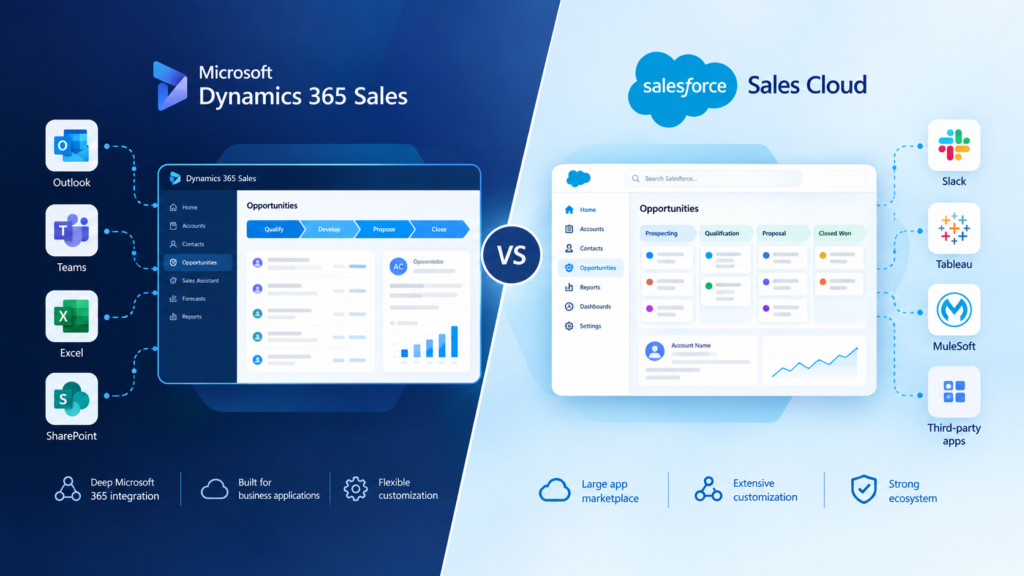
Dynamics 365 Sales is Microsoft’s CRM for sales teams, built on the same data platform as Power Platform and Microsoft 365. Teams already running Outlook, Teams, and SharePoint get familiar screens and shared data from day one, which is why Salesforce vs Dynamics 365 is rarely only a feature debate.
Buyers comparing Microsoft Dynamics 365 vs Salesforce often underestimate that point. It changes training time, adoption, and how much glue work IT has to do.
Salesforce vs Dynamics 365 Pricing, Side by Side
Dynamics 365 vs Salesforce pricing favors Microsoft at every comparable tier. Dynamics 365 Sales lists at $65, $105, and $150 per user per month, while Salesforce Sales Cloud runs from $25 to $550.
| Level | Dynamics 365 Sales | Salesforce Sales Cloud |
| Entry | $65 Professional | $25 Starter Suite or $100 Pro Suite |
| Core | $105 Enterprise | $175 Enterprise |
| Advanced AI | $150 Premium | $350 Unlimited or $550 Agentforce 1 Sales |
Heads up: Always confirm current list prices before you budget. Salesforce raised Enterprise and Unlimited prices about 6% in August 2025, and Microsoft pricing varies by region and agreement.
The 50-Seat, Three-Year Math
In a Salesforce vs Dynamics 365 Sales cost model, a 50-seat team pays $63,000 a year for Dynamics 365 Sales Enterprise and $105,000 for Salesforce Enterprise. That is $126,000 less over three years on licenses alone.
The gap widens at the AI tier. Premium costs $90,000 a year for 50 seats, while Salesforce Enterprise plus the Agentforce for Sales add-on, typically listed from $125 per user per month, comes to about $180,000. These figures are before discounts, implementation, and negotiated terms.
Costs the List Price Hides
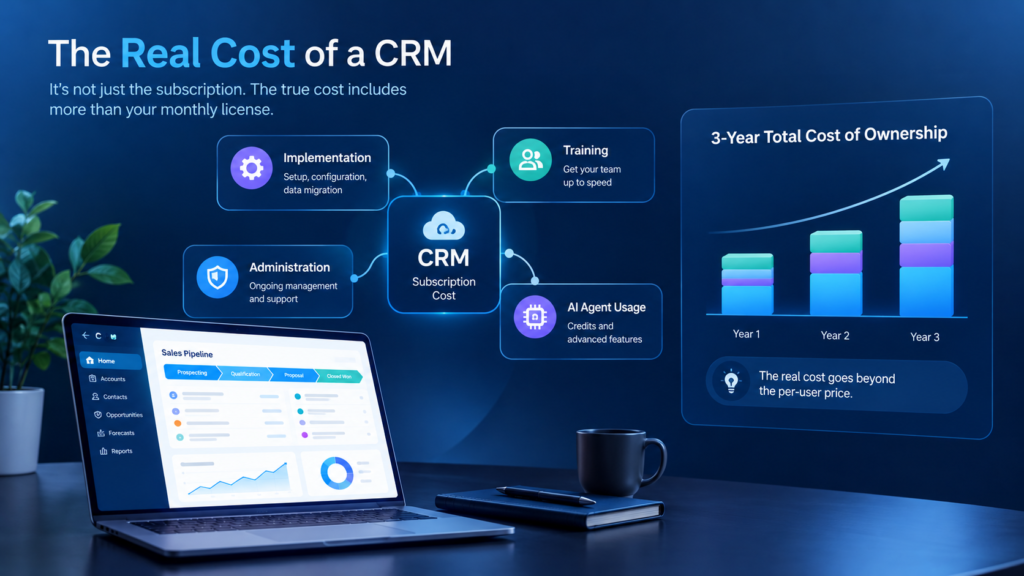
Hidden costs in Salesforce vs Dynamics 365 are everything beyond the per-seat license that changes your real bill. Four deserve a line in your budget:
- Annual commitments: both vendors list their higher tiers on annual terms
- Agent usage: AI agents consume credits on both platforms once bundled amounts run out
- Microsoft 365 Copilot: the full Sales agent experience on the Microsoft side requires it as a separate purchase
- Implementation: data migration, training, and ongoing admin time rarely appear on a price page
AI Agents: Copilot Credits vs Agentforce
Both vendors now sell AI agents for sales, and each meters them differently. The cheaper seat only wins if the agent math holds up too.
Salesforce vs Dynamics 365 AI Tiers: What Each Includes
Dynamics 365 Sales Premium includes 1,000 Copilot Credits per user per month for agents, while Salesforce bundles unmetered employee Agentforce usage only in its $550 Agentforce 1 Sales edition. Salesforce Enterprise and Unlimited can add Agentforce separately.
Our guide to Dynamics 365 Sales Premium covers what those credits include. For a closer look at the agents themselves, see our overview of Copilot agents in Dynamics 365.
The Question to Ask Both Vendors
Ask each vendor what happens when your agents use more than the bundled credits. A low seat price means little if usage is metered, so get the overage rate in writing and model it against your lead volume.
This matters in every Dynamics 365 Sales vs Salesforce quote. Remember that the full Sales agent experience on the Microsoft side also needs Microsoft 365 Copilot.
Comparing Salesforce vs Dynamics 365 quotes? If the numbers are hard to line up, Contact MP-365 for a free consultation. We will model your three-year cost side by side before you commit.
Where Salesforce vs Dynamics 365 Is Really Decided: Your Team’s Daily Tools
The daily-tool test asks where your sellers already spend their working hours. For most teams, that is Outlook, Teams, and Excel.
Picture a seller who finishes a call in Teams and needs to log notes and set a follow-up. In Dynamics 365 Sales that happens beside the call, while a Salesforce user typically switches apps or relies on a connector.
Dynamics 365 Sales surfaces CRM data inside those apps natively. Salesforce connects to Microsoft 365 through connectors, which work well but add setup and ongoing maintenance.
In Microsoft Dynamics vs Salesforce comparisons, friction matters more than features. A tool that sellers update inside their inbox gets better data than one they have to open separately.
Customization, Admin Effort, and Implementation
In Salesforce vs Dynamics 365 customization, Salesforce offers more depth while Dynamics 365 offers faster low-code changes for teams without dedicated admins. Power Apps and Power Automate cover most day-to-day adjustments on the Microsoft side.
Complex territories, multi-product pricing rules, and highly bespoke processes are where Salesforce’s depth earns its cost. Implementations also tend to run shorter for Microsoft shops, since identity, security, and integrations already exist. Our guide to Dynamics 365 Sales Enterprise shows what the core tier includes out of the box.
When Salesforce Is the Better Choice
Salesforce is the better choice when your sales model is highly complex, your team is not on Microsoft 365, or you need the largest marketplace of ready-made apps. An honest Salesforce vs Dynamics 365 comparison has to say so.
- Your sales process needs heavy custom logic
- You already employ Salesforce admins and developers
- Your company runs on Google Workspace
- You depend on niche apps from the AppExchange
If two or more of these fit, price a Salesforce proposal seriously.
Moving From Salesforce to Dynamics 365 Sales
A Salesforce to Dynamics 365 migration moves your accounts, contacts, leads, opportunities, and activity history into Dynamics 365 tables, then rebuilds your automation. Standard data maps cleanly, but custom objects, Apex code, and flows do not transfer and need rebuilding.
A typical project follows five steps:
- Audit objects, fields, and automation in use
- Map each Salesforce object to a Dynamics 365 table
- Rebuild flows and custom logic
- Migrate data and test with real users
- Run both systems in parallel before cutover
A Salesforce to Dynamics 365 migration goes smoothest when you retire unused custom fields before you move anything.
Key Takeaways
- Dynamics 365 vs Salesforce pricing favors Microsoft: $105 against $175 for the core Enterprise tier.
- For 50 seats, list prices come to $63,000 against $105,000 a year at Enterprise.
- At the AI tier, Premium at $150 compares with roughly $300 for Salesforce Enterprise plus Agentforce.
- Salesforce wins on complexity, admin depth, and marketplace size.
- In Salesforce vs Dynamics 365 Sales, your team’s daily tools usually decide the outcome.
Conclusion: Salesforce vs Dynamics 365 Sales, Which Should You Pick?
The Salesforce vs Dynamics 365 decision favors Dynamics 365 Sales for Microsoft 365 teams that want lower seat costs and built-in AI. It favors Salesforce for complex sales models and teams with dedicated admins.
Do not decide on features, because the Salesforce vs Dynamics 365 answer usually sits in your quote. Get both quotes, add agent usage and implementation, and compare the three-year total.