

Dynamics 365 Sales Enterprise is Microsoft’s mid-tier CRM license, priced at $105 per user per month when paid yearly. It is the tier most complex sales teams end up on, and many arrive there by default rather than by decision.
That default is where the trouble starts. The license is only half of what you buy, because the AI agents around it run on metered credits that the price tag never mentions.
This guide walks through what Dynamics 365 Sales Enterprise includes, what it really costs once AI is switched on, and the point where a team outgrows it.
What Dynamics 365 Sales Enterprise Actually Includes
Dynamics 365 Sales Enterprise is the tier built for multi-stage sales processes, deeper customization, and forecasting that goes beyond a basic pipeline view. It builds on Professional and adds the tools managers use to steer a team, not just track deals. It suits teams with multi-step approvals, regional process variations, or forecasting needs that have outgrown a spreadsheet.
The core platform
The core platform covers the full sales lifecycle, from first contact to invoice. The Enterprise license includes:
- Lead, opportunity, account, and contact management for the full pipeline
- Product and price lists, bundles, quotes, orders, and invoices for quote-to-cash
- Forecasting, sales goals, and territory management for managers
- Assistant cards and competitor tracking for seller context
- Mobile app and Microsoft 365 integration across Outlook, Teams, and Excel
- Reporting and dashboards, with Excel export and Power BI analytics
Microsoft was named a Leader in the 2026 Gartner Magic Quadrant for CRM Sales Platforms, its sixteenth consecutive year in the Leaders quadrant. That track record is a large part of why Enterprise is a safe default.
What sits outside the license
Customization and app-building need extra licenses. Automation through Power Automate and custom apps through Power Apps each require additional licenses on top of the seat.
Teams-based Copilot features, such as collaborative deal rooms, also require add-ons. Ask for them in the first quote, not the third.
For a wider view of how the whole product fits together, start with our overview of what Dynamics 365 Sales is and does.
The Dynamics 365 Sales Enterprise Features Worth Paying For
The Dynamics 365 Sales Enterprise features that justify the step up from Professional are customization headroom, advanced sales force automation, and built-in intelligence. Most of the value shows up as room to grow, not as a single headline capability.
| Capability | Professional | Enterprise |
| Customization and automation | Limited | Included (Power Automate license required) |
| Custom apps | Not included | Included (Power Apps license required) |
| Advanced sales force automation | Not included | Included |
| Conversation intelligence | Not included | Included capacity |
| Sales engagement | Not included | Included capacity |
| Copilot in Dynamics 365 Sales and Outlook | Not included | Included |
What Professional’s ceiling looks like
Professional’s ceiling is a set of hard caps that growing teams hit quickly. It limits custom tables to 15, business process flows to 5, and third-party integrations to 10.
Those numbers sound generous until a second sales motion or a regional variation of your process arrives. Enterprise gives you fuller customization, which is what the extra $40 per seat buys. Our Dynamics 365 Sales Professional guide shows exactly what the entry tier covers.
Dynamics 365 Sales Enterprise Copilot Inside the Seat
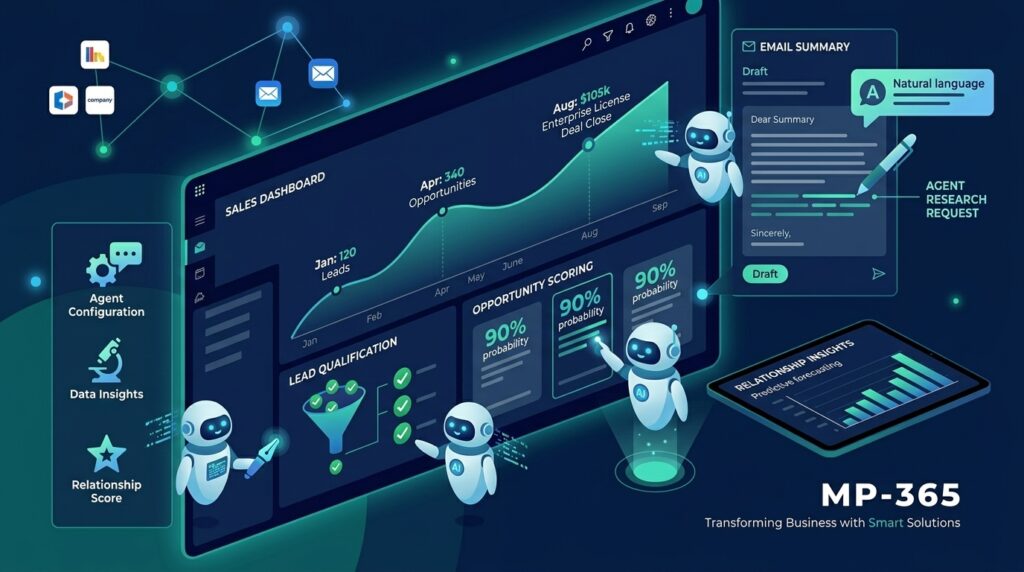
Dynamics 365 Sales Enterprise Copilot capabilities come with the seat. They cover lead and opportunity summaries, meeting preparation summaries, email summaries and reply drafts, and natural language chat inside Dynamics 365 Sales.
Copilot in Outlook adds record creation, editing, and reading without leaving the inbox. These assistive features come with the license. Agents are a different story, covered below.
Dynamics 365 Sales Enterprise Pricing: The Seat Is Only Half the Bill
Dynamics 365 Sales Enterprise pricing is $105 per user per month, paid yearly, based on Microsoft’s current list price. For a 20-person team, that is $25,200 a year in licenses (20 seats x $105 x 12 months).
That figure excludes implementation, add-on licenses, and agent usage. It lines up with the roughly $25,000 annual starting point partners quote for a 20-user team on Enterprise.
| Plan | Price per user per month (paid yearly) | Bundled Copilot Credits | Prebuilt sales agents |
| Professional | $65 | None | Accessible |
| Enterprise | $105 | None | Accessible |
| Premium | $140 | 1,000 per user per month | Accessible |
| Microsoft Relationship Sales | Variable (10-seat minimum) | None | Not listed |
The outdated prices you’ll see elsewhere
Several ranking pages still quote $95 for Enterprise and $135 for Premium, which are older list prices. Microsoft’s own pricing page now shows $105 and $150, so check the date on any comparison before you rely on it.
Relationship Sales and other buying routes
Microsoft Relationship Sales pairs Sales Enterprise with LinkedIn Sales Navigator and requires a 10-seat minimum. Pricing is variable, so it is quoted through a Microsoft specialist rather than listed.
Key Takeaways
- Dynamics 365 Sales Enterprise pricing is $105 per user per month, paid yearly.
- Professional is $65 and Premium is $150, so the gap is $40 down and $45 up per seat.
- Verify any price you find, because older $95 figures are still circulating.
Before you budget seats and agents together, Contact MP-365 for a free consultation. We will map your sales process to a realistic license and credit estimate, so the number you approve is the number you actually pay.
Dynamics 365 Sales Enterprise Copilot Credits: Where the AI Gets Expensive
The Dynamics 365 Sales Enterprise Copilot Credits model works on metering. Access to the AI agents is included with the seat, but every agent run consumes credits that Enterprise does not bundle.
Access is included, execution is metered
Enterprise gives you access to the Sales Qualification Agent, Sales Opportunity Agent, and Sales Research Agent, plus the Sales Close Agent, which is still in preview. The license opens the door, but running any of them draws down credits. Custom agents built in Copilot Studio draw on the same credits.
Access is the same on Professional and Premium, so agents alone do not justify the tier. What differs is the bundle: none with Enterprise, 1,000 credits per user per month with Premium.
Pay-as-you-go or pre-purchase
There are two ways to fund Dynamics 365 Sales Enterprise Copilot Credits, and the product features are identical either way. Pay-as-you-go bills at the end of the month for what you consumed, while a pre-purchase plan lets you choose an amount up front and save up to 20%.
Both routes require an Azure subscription linked to your environment. Our guide to Copilot Agents in Dynamics 365 explains how these agents work in practice
The question to answer before any pilot
The question is how many agent runs your team will trigger each month. Estimate it from these drivers:
- Lead volume the qualification agent will process
- Opportunities monitored and updated by agents
- Research requests sellers make before calls
- Custom agents your team builds in Copilot Studio
Without that estimate, pay-as-you-go can look cheap in a pilot and surprising at scale.
Dynamics 365 Sales Enterprise License Traps That Catch Teams After They Buy
The most common Dynamics 365 Sales Enterprise license trap is mixing tiers. Professional licenses cannot be combined with Enterprise or Premium licenses in the same environment.
Settle the tier for the whole team
Choose one tier per environment before you sign. If part of the team starts on Professional to save money, that mix will not work alongside Enterprise seats.
Where the license model bites
The Dynamics 365 Sales Enterprise license is per user, so every named seller who needs access needs a seat. Customization tools and Teams-based features add further licenses on top.
Run through this checklist before signing:
- Confirm the seat count and the tier for every user in the environment
- List the Power Automate and Power Apps licenses your customizations need
- Decide whether Teams-based Copilot features are in scope
- Estimate monthly agent usage and pick a credit funding model
- Confirm the Azure subscription that will bill agent usage
Where Dynamics 365 Sales Enterprise Runs Out
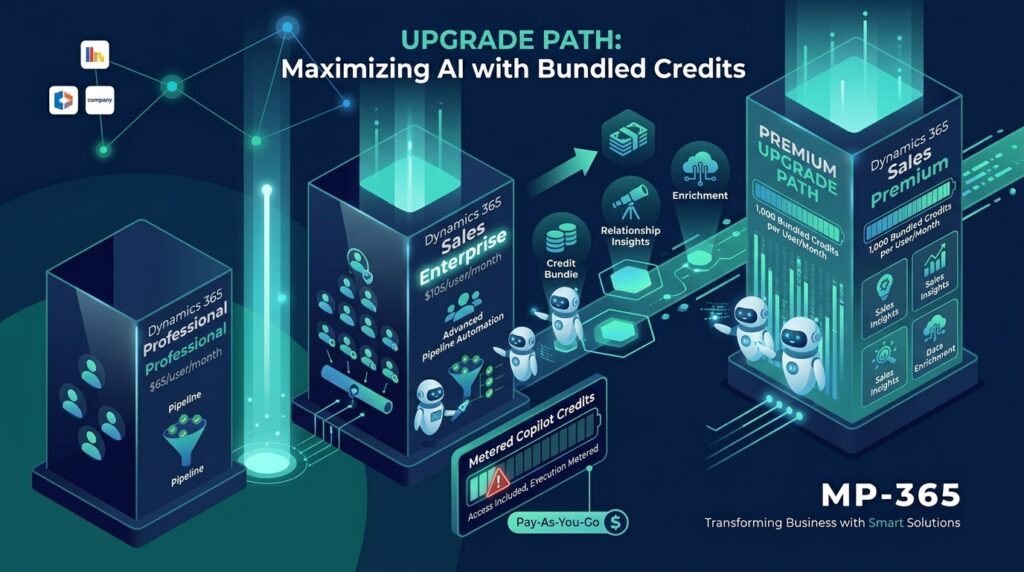
Dynamics 365 Sales Enterprise runs out when a team needs Sales Insights, AI-powered recommended actions, data enrichment, or bundled credits. Premium adds all four at $150 per user per month.
The arithmetic behind the upgrade
Premium costs $45 more per seat per month, and it bundles 1,000 credits per user per month. For a 25-seat team, Enterprise licenses total $31,500 a year (25 x $105 x 12), while Premium totals $45,000 (25 x $150 x 12).
That $13,500 difference buys a pool of 25,000 credits every month, plus Sales Insights and recommended actions. Whether it pays off depends on the per-credit rate on Microsoft’s current meter, so price your expected agent usage against it before deciding.
The signals you have outgrown it
Watch for these signs:
- Sellers run AI agents daily and pay-as-you-go costs are climbing
- Managers want predictive forecasting and relationship insights beyond manual forecasting
- Data quality is costing deals, and enrichment would help
- You would rather have a predictable AI budget per seat than a variable bill
Where to go next
When those signals appear, the decision is no longer about Dynamics 365 Sales Enterprise on its own. It becomes a direct comparison against Premium, weighed seat by seat and credit by credit.
Start by pulling your actual agent usage from the past few months, not an estimate. That number, matched against Premium’s bundled credits, tells you more than any feature list.
If Sales Insights or predictive forecasting are the driver instead of AI costs, that comparison tilts differently, since those features have no Enterprise equivalent at any price. A dedicated tier comparison covers that decision head to head, with the seat cost, the credit math, and the feature gap laid out side by side.
Is Dynamics 365 Sales Enterprise the Right Call for Your Team?
Dynamics 365 Sales Enterprise is the right call when your sales process has outgrown Professional’s caps and you want AI help without committing to Premium’s price. The Dynamics 365 Sales Enterprise features cover the platform and customization headroom, and Dynamics 365 Sales Enterprise Copilot tools assist sellers day to day. The agents are where the budget needs a plan.
Start by sizing agent usage, then choose the tier that fits it. Get that estimate right and Enterprise stays a strong default. Get it wrong and Premium’s bundled credits may be the cheaper path.
Key Takeaways
- Enterprise is $105 per user per month and suits complex, multi-stage sales processes.
- Agent access is included, but running agents consumes Copilot Credits that Enterprise does not bundle.
- Premium at $150 bundles 1,000 credits per user per month plus Sales Insights.
- Never mix Professional with Enterprise or Premium in one environment.