

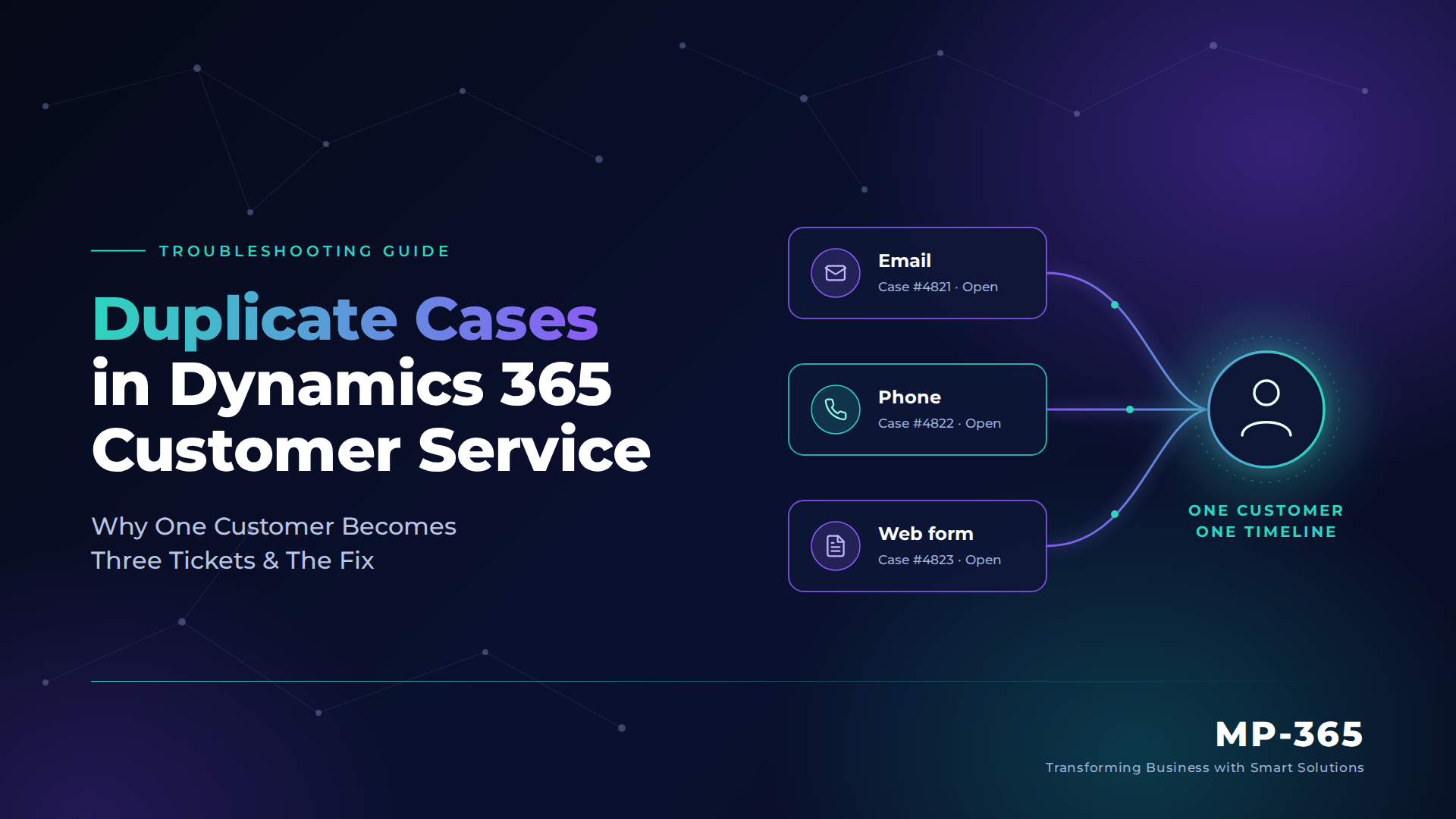
Duplicate cases in Dynamics 365 Customer Service happen because each channel creates its own case before anything checks whether the customer already has one open. The fix is an identity layer: recognize the customer on every channel, stop new cases when one is already open, and merge the few that still slip through. This guide walks through each layer in the order it should be built.
Quick Solution Summary
- Root cause: email, phone and web form requests each open a separate case because no rule ties them to one customer record.
- Fix: set up Dynamics 365 record identification rules in Omnichannel, funnel email through one intake rule, and use case merging for the remainder.
- Result: a single customer timeline in Dynamics 365, one case per issue, and one consistent answer for the customer.
- Reality check: hands-free auto-merge is not a built-in switch. It takes custom automation with guardrails.
Why Duplicate Cases in Dynamics 365 Customer Service Start Before an Agent Opens a Ticket
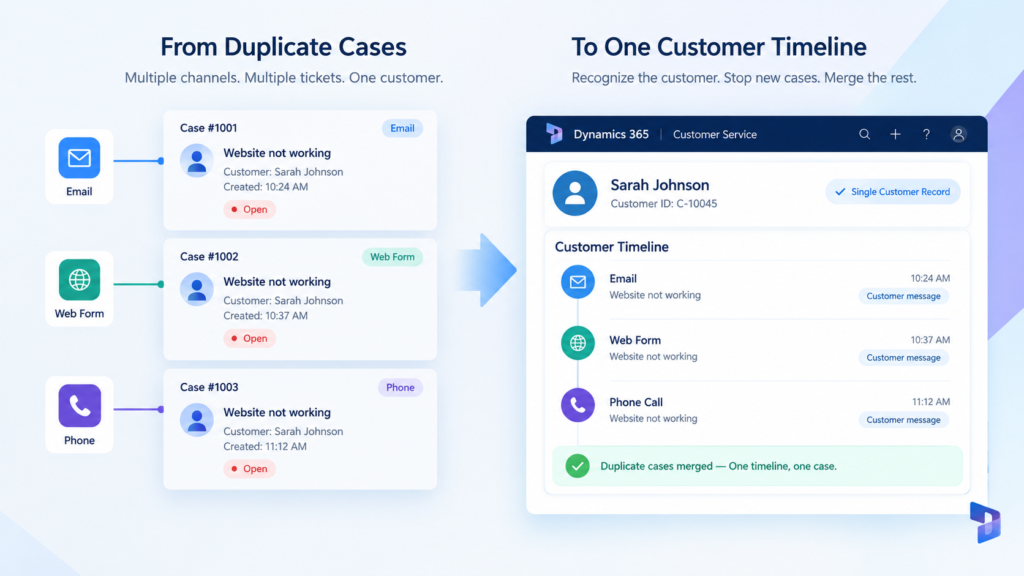
Picture a customer whose online ordering portal stops working on a Monday morning. They email support, submit the web form, and then phone the support line because nobody has replied yet. Three channels, one problem.
Each channel is its own front door. The email lands in a queue, the form creates a record through its own path, and the call opens a conversation for whichever representative picks up. None of them asks whether this customer already has an open case.
That missing question is the root cause. Without contact matching and multi-channel case deduplication, Dynamics 365 treats every touchpoint as a new problem. Duplicate cases in Dynamics 365 Customer Service are rarely an agent mistake. They are what a system produces when its channels don’t know about each other.
You are in the right place if you recognize these symptoms:
- The same customer has two or three open cases with near-identical descriptions
- Different representatives give the customer conflicting answers about one issue
- Representatives discover the overlap only when the customer says “I already contacted you”
- Phone conversations open with no customer attached, so the representative searches manually
- Case volume and handling-time reports look inflated while resolution looks slower than it really is
The Fix Is an Identity Layer, Not a Merge Button
Many teams respond to duplicate cases in Dynamics 365 Customer Service by training agents to merge cases by hand. It helps, but it cleans up after the damage instead of preventing it.
The durable fix works in order. First, Dynamics 365 Omnichannel customer identification recognizes who is contacting you. Second, intake rules stop a new case from being created when one is already open. Third, you merge duplicate cases in Dynamics 365 only for the few that get through.
Done well, this gives agents a single customer timeline in Dynamics 365, where the email, the form and the call sit on one record. One honest note before the steps: out of the box, merging is an agent action, so automatic merging needs a small piece of custom logic, covered in step 6.
Step-by-Step: Teach Dynamics 365 to Recognize the Customer
- Clean the data your matching depends on.
Standardize phone numbers (E.164 format for voice) and email addresses on contacts and accounts, and run duplicate detection on both. Matching only considers active records. If a search returns more than one contact, account or case, nothing is linked to the conversation. - Configure Dynamics 365 record identification rules.
Open your Omnichannel workstream and review the rule that matches conversations to customers. This is where Dynamics 365 Omnichannel customer identification gets its accuracy, because the rule decides which fields count as a match. Default matching uses name, email and phone number. If customers identify themselves another way, such as an account number entered through a phone menu, extend the rule to match on that field. Add a pre-conversation survey on chat so those details are captured before a representative accepts the conversation. The way record identification rules handle multiple matches is worth reading before you design yours. Omnichannel is also not part of the Professional edition, so confirm your licensing first. Our Dynamics 365 Customer Service guide breaks down the editions. - Route all email through one automatic record creation and update rule.
When several mailboxes feed separate rules, the same email can be processed twice and create duplicate cases. Forward your support mailboxes into a single dedicated queue, using mail-flow rules or a simple flow, and point one rule at that queue. Then review the rule’s conditions so a follow-up from a customer with an open case lands on that case instead of starting another. This is the core of multi-channel case deduplication on the email side.
Most support teams don’t start from one clean setup. They have a legacy phone system, two shared mailboxes and a web form somebody built years ago. Contact MP-365 for a free consultation and we will map where duplicate cases in Dynamics 365 Customer Service are being created in your environment today, and which of these layers you actually need.
Step-by-Step, Continued: Catch What Still Slips Through
- Bring the web form into the same path.
A form that creates cases through its own integration is the quiet third front door. Have it submit through the same intake rule, or look up the contact by email address before creating anything. If a contact with an open case is found, attach the submission to that case. - Give representatives similar case suggestions.
Set up advanced similarity rules under Case Settings in the Copilot Service admin center, so representatives see possible matches while they work a case. This turns an invisible duplicate into a visible prompt, and it is the first place AI-assisted matching pays off. It also gives any Copilot agent in Dynamics 365 a complete history to work from, because every request sits on one single customer timeline in Dynamics 365. - Merge the duplicates, then automate the safe ones.
To merge duplicate cases in Dynamics 365 by hand, select at least two active cases and choose Merge Cases in the command bar. Pick the case the others merge into. You can merge up to 10 cases in one action. Activities, notes and attachments move to the primary case, and the merged cases appear on its Case Relationships tab. For automation, build a Power Automate flow or plug-in that fires when a case is created and looks for open cases from the same customer. Merge only on a tight match, such as the same customer, the same product and a short time window. Send anything uncertain to a representative for review. Wrongly merging two genuinely different issues is worse than leaving a duplicate.
Keeping Duplicate Cases in Dynamics 365 Customer Service From Coming Back
Treat data hygiene as a standing job. Schedule duplicate detection on contacts and accounts, and require standard phone and email formats on every intake form. Dynamics 365 record identification rules are only as good as the records beneath them.
Watch your merge rate by channel. Track how often your team has to merge duplicate cases in Dynamics 365, and between which channels. A rising number means one door isn’t connected to the identity layer.
Plug in every new channel before it goes live. A new mailbox, chat widget or messaging number should connect to Dynamics 365 Omnichannel customer identification and the single intake rule on day one.
Conclusion: One Customer, One Timeline
Duplicate cases in Dynamics 365 Customer Service are not a training problem. They are an identity problem, and the fix is to recognize the customer first, protect the intake second and merge last. Treat multi-channel case deduplication as part of your service design, not a cleanup task.
Once email, phone and web requests land on a single customer timeline in Dynamics 365, three agents stop working three tickets. The customer hears one answer, and your team recovers the hours that duplicate work was quietly consuming.
Once duplicates are under control, routing decides who handles the one remaining case. Our shared inbox routing fix picks up where this guide ends.