

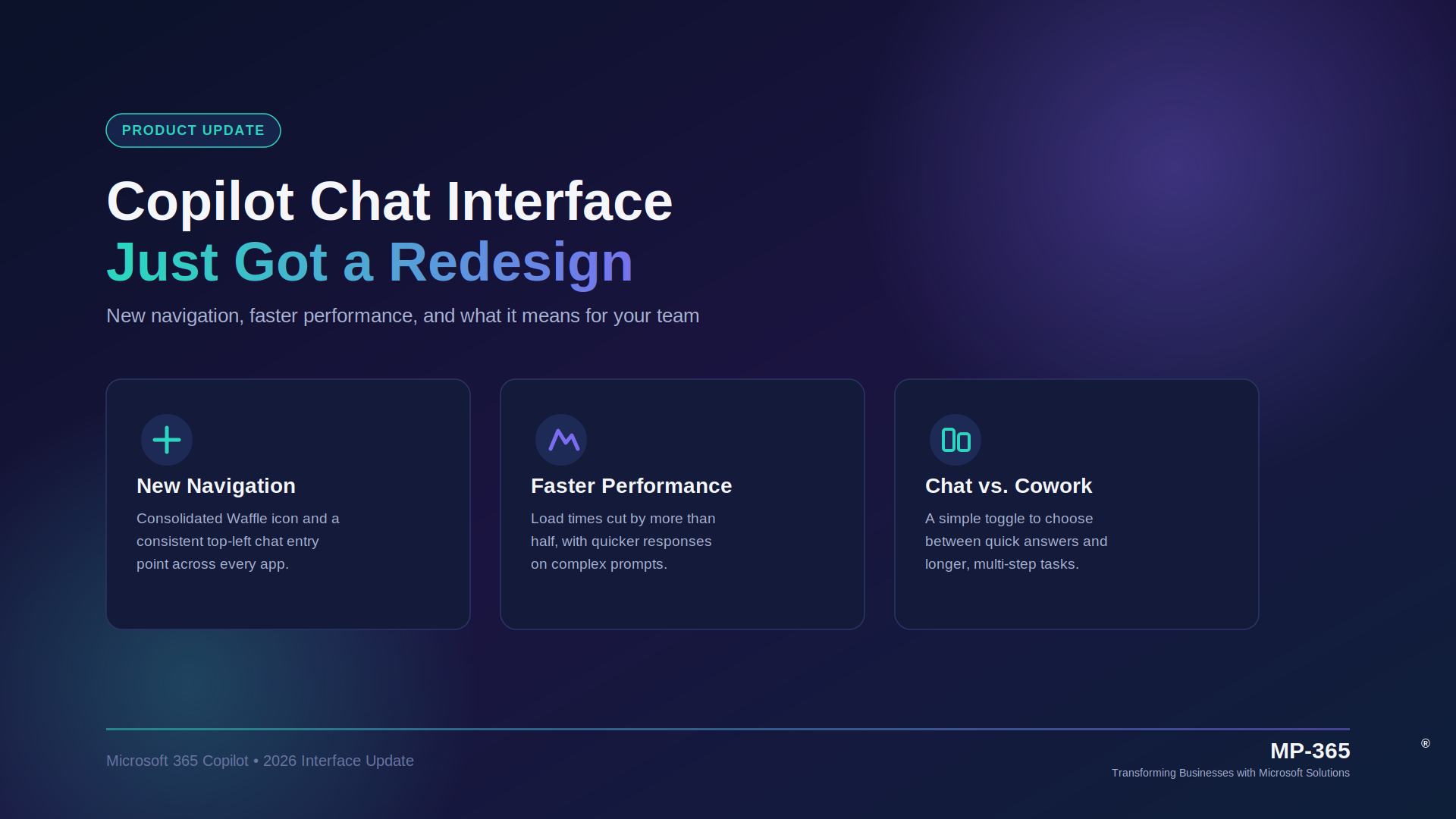
Microsoft has rolled out a chat-first redesign of the Microsoft 365 Copilot interface, changing the home screen, navigation, and even the app’s canonical URL. The update started as a preview in May 2026 and is reaching full availability by late July 2026. Here’s what changed, why it matters, and what your team needs to know.
What Changed in the Microsoft 365 Copilot Chat Interface
The Microsoft 365 Copilot chat redesign focuses on three areas: the chat home screen, the response layout, and the navigation pane.
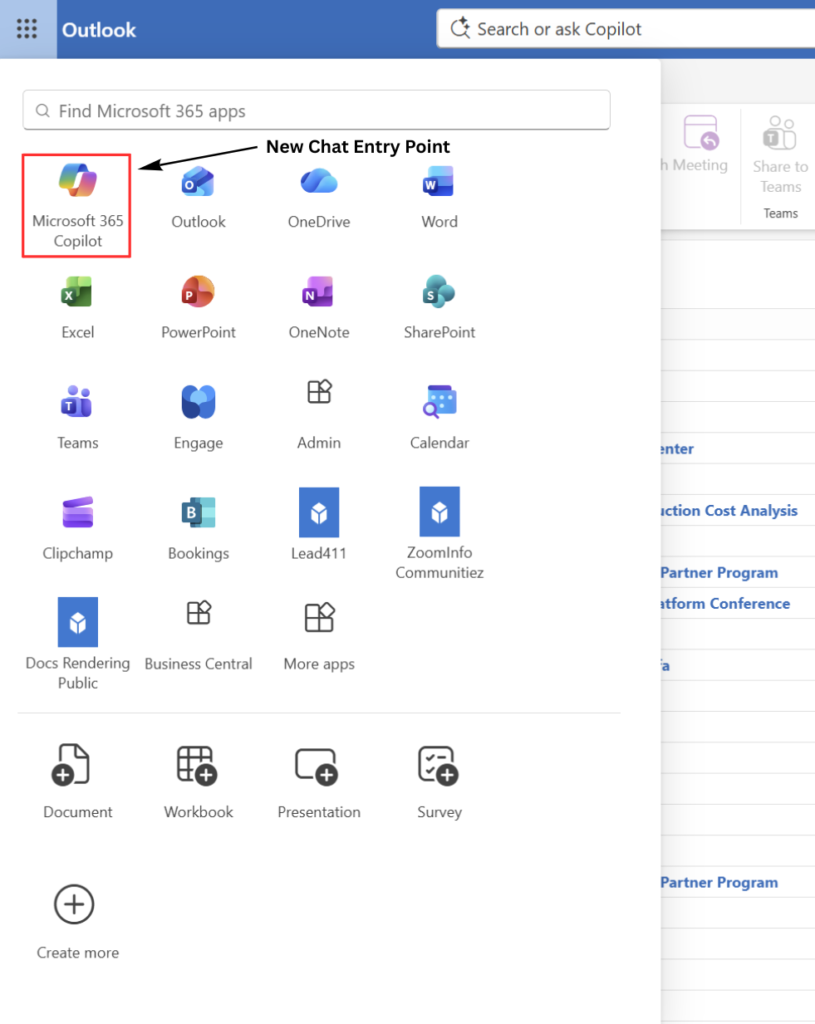
New Chat Entry Point
The Copilot icon now sits inside Microsoft 365 apps, with the chat entry point moved to the top-left for consistent access across every app.
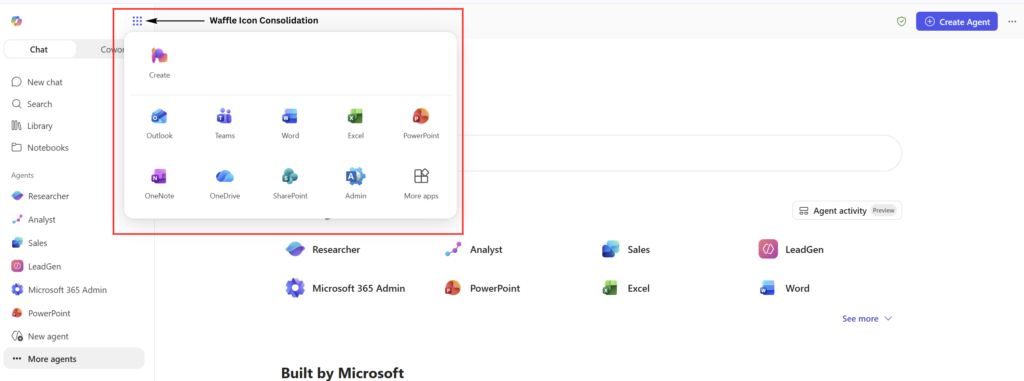
Waffle Icon Consolidation
The Copilot icon now sits inside Microsoft 365 apps, with the chat entry point moved to the top-left for consistent access across every app.
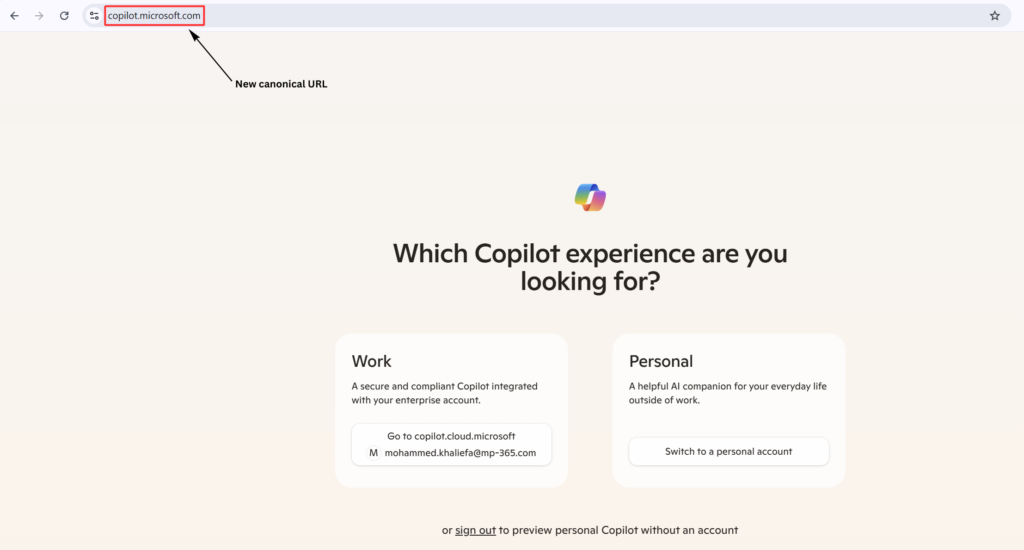
New Canonical URL
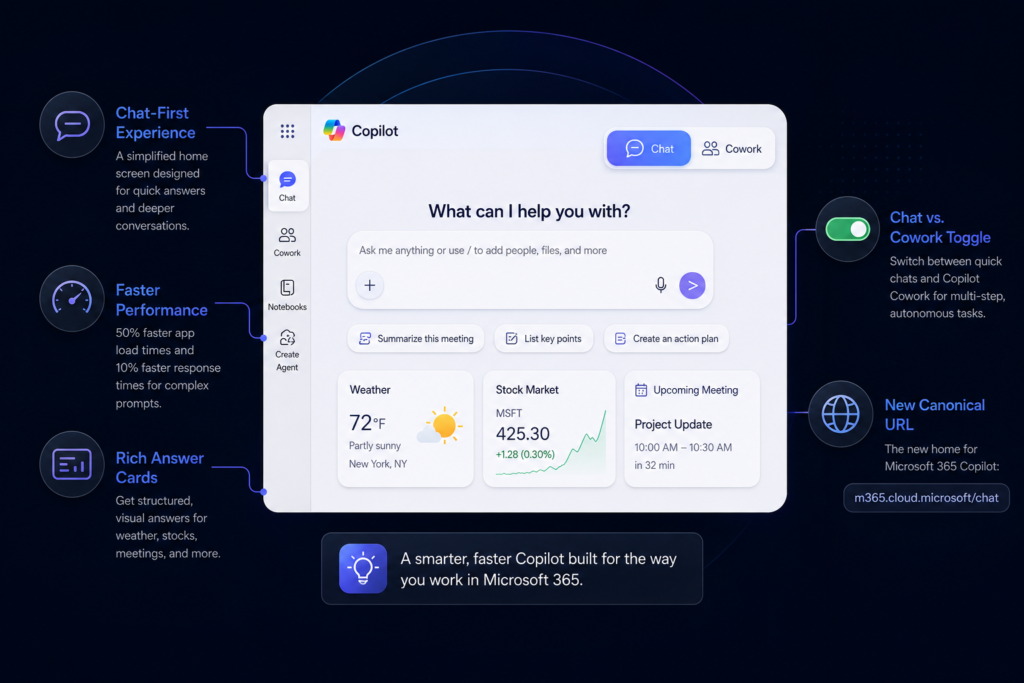
The app’s main address moves to m365.cloud.microsoft/chat. The legacy copilot.microsoft.com address still works as a redirect.
Chat vs. Cowork toggle
Users can now switch between Chat, for quick answers, and Copilot Cowork, for longer multi-step tasks Copilot completes on its own.
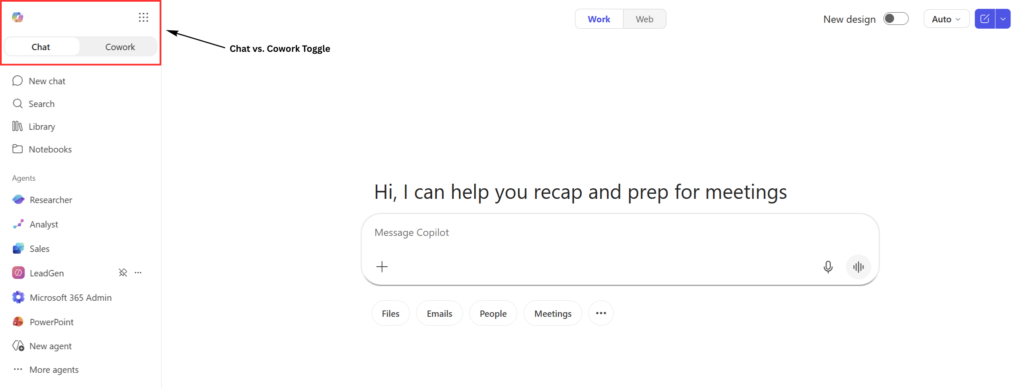
This is the biggest shift in Copilot chat-first experience since launch, and it signals that Microsoft sees the interface itself as core to whether people actually adopt the tool.
Performance and Experience Improvements
Beyond the visual refresh, Microsoft made real performance gains part of this update.
- App load times are reportedly down more than 50%.
- Response times for complex chat prompts improved by roughly 10% at the 95th percentile, meaning even the slowest requests got noticeably faster.
- Copilot Chat now returns rich answer cards, such as weather, stocks, and structured data, instead of plain text responses.
Together, these changes push Copilot chat closer to feeling like a fast, native part of Microsoft 365, rather than a bolted-on panel.
Rolling out these changes across your organization? MP-365 helps teams navigate Microsoft 365 Copilot updates, from admin readiness to user adoption, so nothing catches your team off guard. Talk to our team for a free consultation Contact MP-365
What the Copilot New UI Means for Admins
If you manage a Microsoft 365 tenant, this redesign is more than a cosmetic update.
- Audit Conditional Access policies. Policies scoped to the old copilot.microsoft.com resource may not automatically apply to the new m365.cloud.microsoft address, which can create silent access gaps.
- Expect a staggered rollout. The update moves through Frontier preview, opt-in general availability in June, and full auto-rollout by late July 2026. That means some employees may see the new layout while others are still on the old one.
- Update internal documentation early. Training materials, screenshots, and help desk scripts tied to the old interface will need refreshing before full rollout hits.
What the Microsoft 365 Copilot Navigation Update Means for Everyday Users
For the average user, the practical impact is simpler: Copilot should be easier to find and faster to use.
- The consistent top-left chat entry point means less hunting across apps.
- The Chat/Cowork toggle makes it clearer when to ask a quick question versus hand off a longer task.
- Faster load and response times mean less waiting, especially for detailed prompts.
Most users won’t need training to adapt, but a short internal walkthrough can help smooth the transition during the staggered rollout window.
How This Fits the Bigger Copilot Picture
The chat interface redesign didn’t happen in isolation. It landed alongside Copilot Cowork reaching general availability and Work IQ expanding to query Dataverse business data directly inside Copilot Chat. For organizations already using Dynamics 365, that means Copilot’s chat experience is becoming a more direct gateway into business data, not just a general-purpose assistant.
What This Means for Dynamics 365 Users
For teams running Dynamics 365, this redesign carries extra weight. Since Work IQ now lets Copilot query Dataverse business data directly inside Copilot Chat, the same interface changes covered above, faster load times, the Chat/Cowork toggle, and the new top-left entry point, apply directly to how sales, service, and operations teams pull Dynamics 365 records into their daily conversations with Copilot.
A faster, more consistent chat experience means less friction when asking Copilot about a customer record, an open case, or a sales pipeline update. And as this Dataverse grounding moves from public preview toward general availability, Dynamics 365 users should expect Copilot Chat to become a more central, everyday tool for working with business data, not just a side panel.
Conclusion: Ready for What’s Next in Copilot?
Interface changes like this one are a preview of how fast Microsoft 365 Copilot is evolving, and they rarely stop at the UI. Each update tends to reshape how people work day to day, from where they click to how much they trust what Copilot returns.
If you want a partner to help your team stay ahead of these updates, plan rollouts smoothly, and get real value from Copilot and Dynamics 365 together, MP-365 can help. Get in touch with our team for a free consultation Contact MP-365